
AI call center for hotels
Every call. Every guest. Every language.
SOHO answers your hotel's phone lines, WhatsApp, Telegram and SMS around the clock. It quotes live prices from your PMS, books the room, sends the payment link — and brings in the right colleague the moment a person is needed.
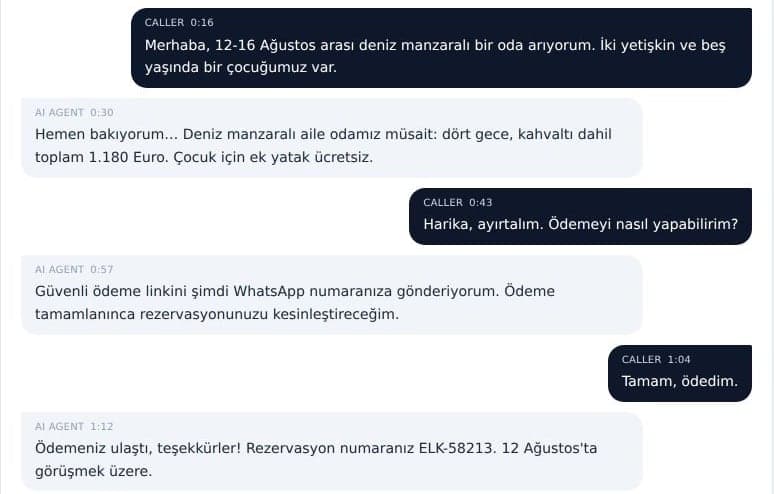
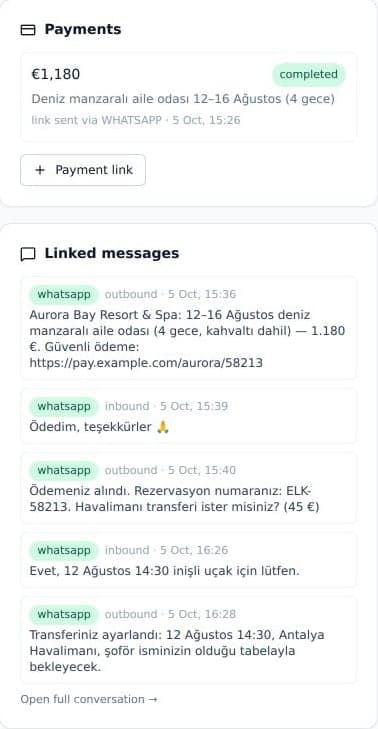
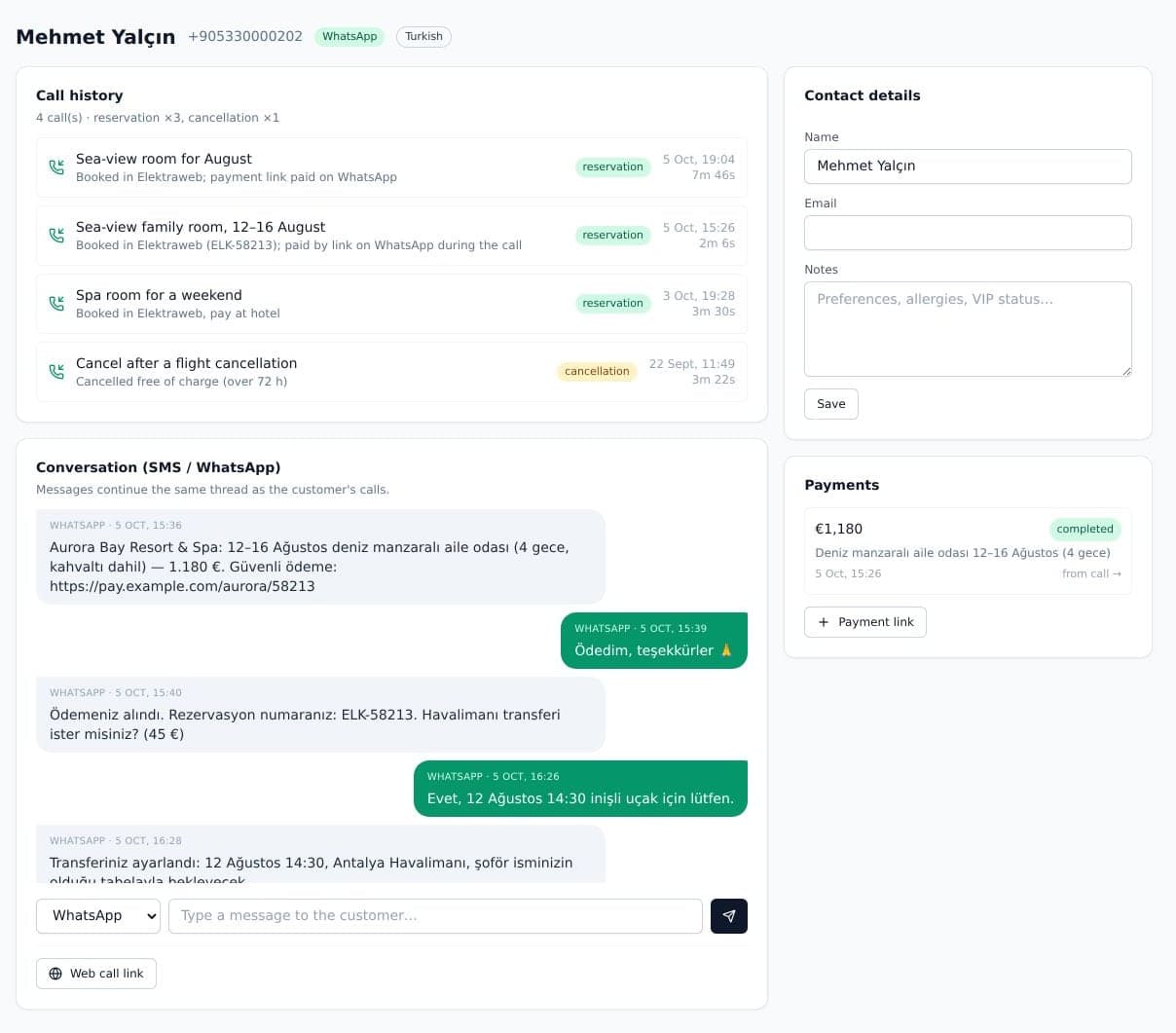
A real call screen: a guest books a sea-view family room in Turkish, pays by link during the call and gets the confirmation on WhatsApp. Screens show a demo hotel; guests and numbers are fictional.
One agent. Every way in.
- Phone lines
- Browser calls
- Telegram
- SMS
- Website widget
- Room QR codes
Voice agent
Picks up on the first ring. In the caller's language.
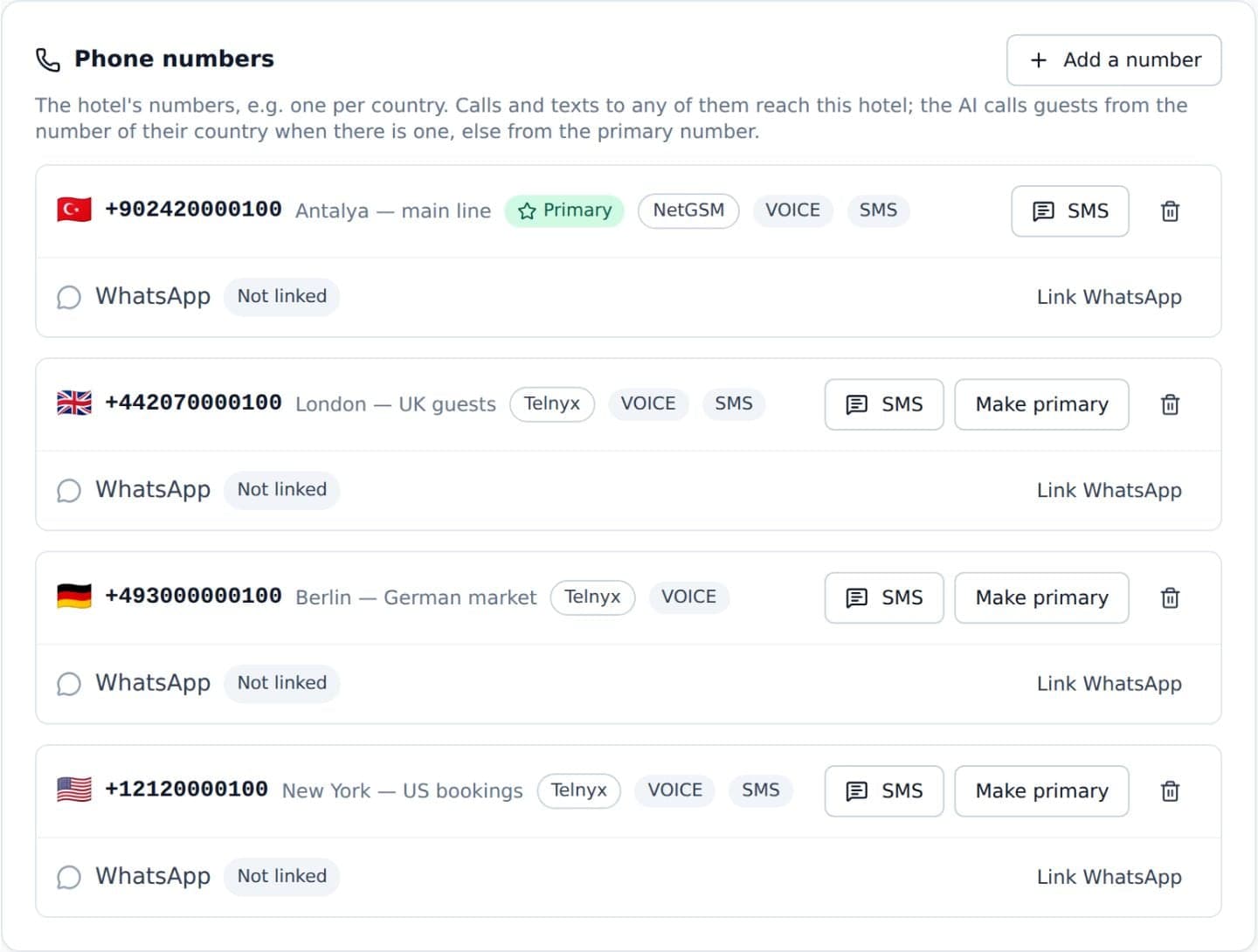
A natural voice agent answers on your real phone numbers — local numbers bought by country, or your Turkish line through NetGSM on a direct SIP connection. Guests can interrupt, change their mind or switch language mid-call.
- 97 languages
- Every language of the Gemini Live voice model — Turkish, English, German, Russian, Arabic, French, Spanish, Italian, Ukrainian, Polish, Persian, Hebrew, Chinese, Japanese, Korean and more. It starts in the caller's language (from their country code or guest record) and follows them when they switch.
- Honest from the first second
- A greeting for the time of day, a clear statement that it is an AI assistant and, when you record calls, the recording notice.
- A number per market
- Turkey, the UK, Germany — several numbers can reach the same hotel, so guests call at local rates.
- Every call on record
- Transcript, recording where enabled, a translation of every line, a summary, the caller's intent and sentiment.
Elektraweb PMS
Live prices. Real reservations.
Connect your Elektraweb hotel code once — it is checked with Elektraweb before it is saved. From then on the agent quotes real availability and rates during the call, and books only a rate it quoted on the same call, after reading it back to the guest.
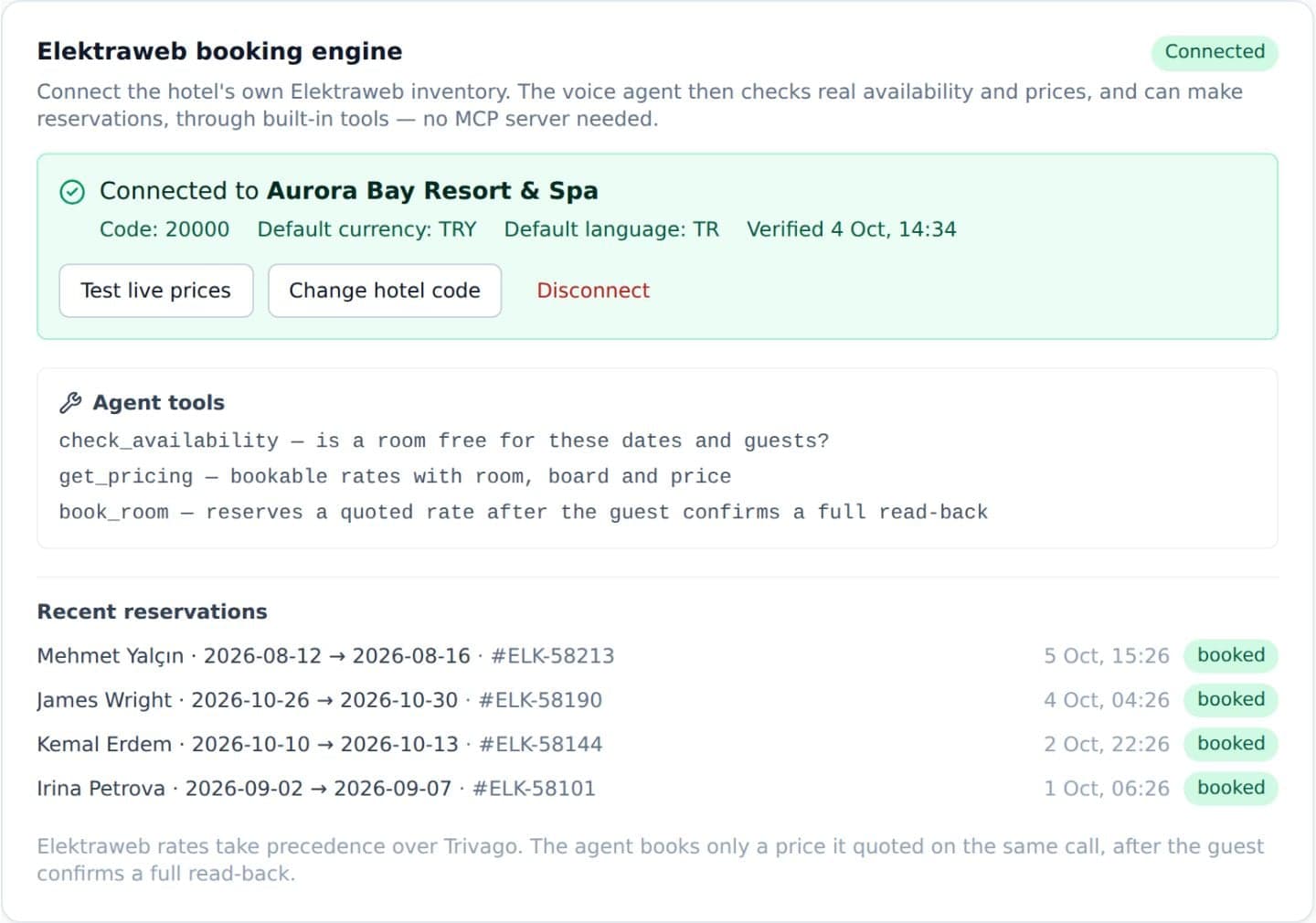
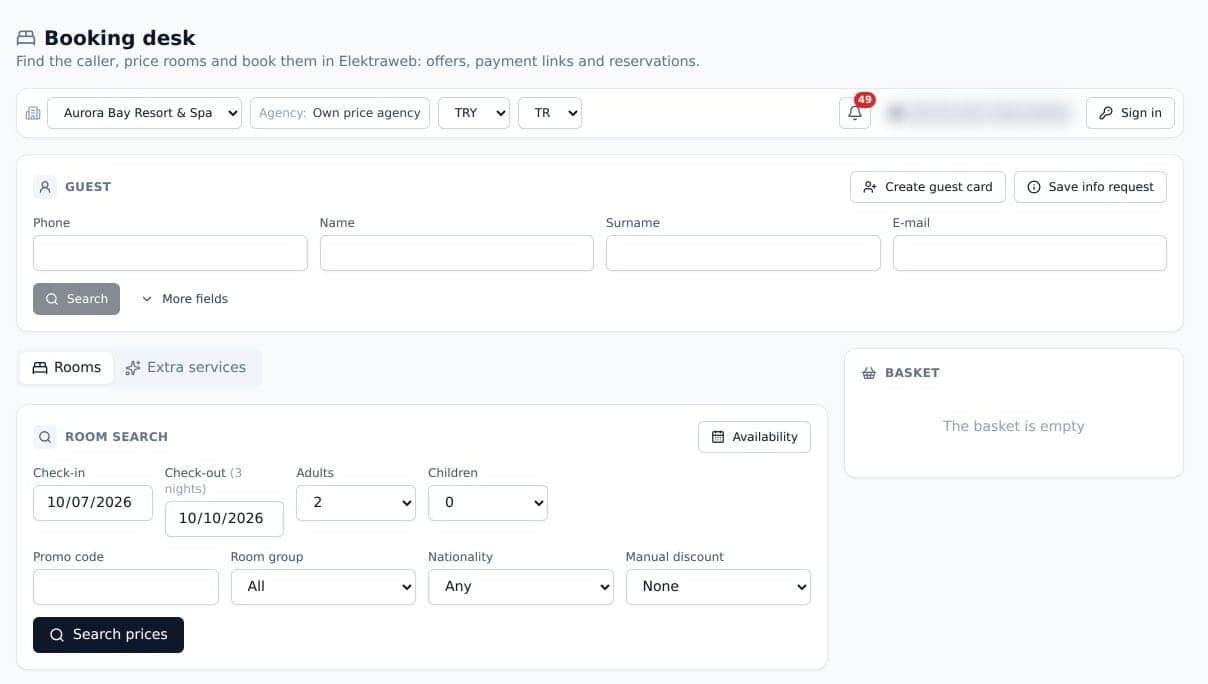
- Availability and rates
- By dates, room, board, adults and children's ages, in your Elektraweb currency.
- Bookings in your PMS
- Reservations are created in Elektraweb itself, not in a side list.
- A Booking desk for staff
- Find the caller, price rooms by group, nationality and promo code, add extras and book from one screen.
- Every lookup logged
- Each request the agent makes is saved with its result and timing, next to the call.
Payments
Paid before they hang up.
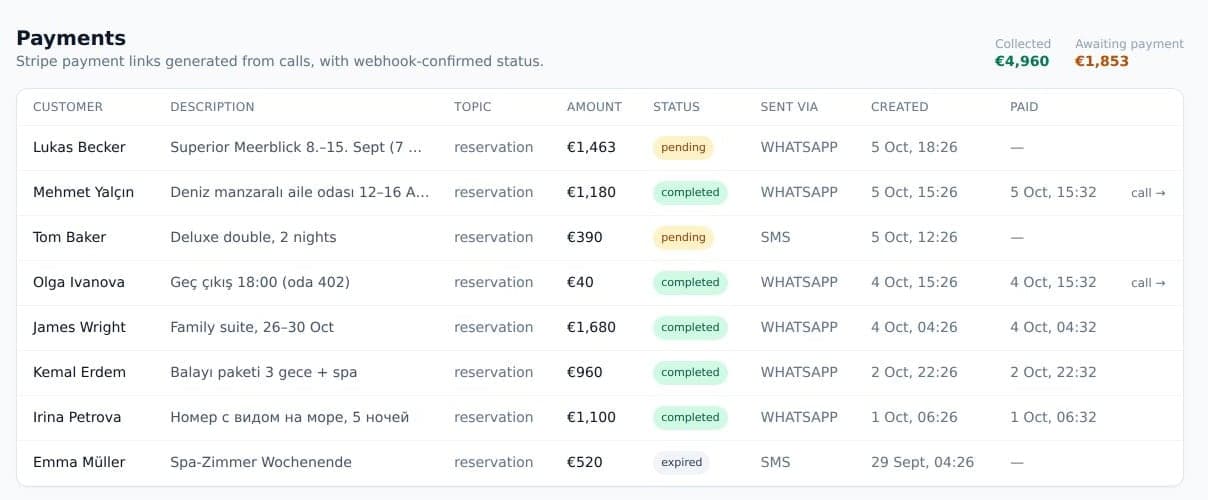
When the guest says yes, the agent sends a secure payment link by WhatsApp or SMS while they are still on the line. The payment comes back into the call, the guest record and the lead.
- Your providers
- Stripe and Garanti BBVA virtual POS.
- Card details stay with the provider
- Guests pay on the payment provider's own page.
- Every link tracked
- Pending, paid or expired — with the channel it went out on and the call it came from.
Hotel knowledge
Answers only what you have approved.
Upload your fact sheet, policies or menus as PDFs. Every page is read — tables and scanned pages included — and turned into draft entries. Nothing reaches a guest until your team approves it.
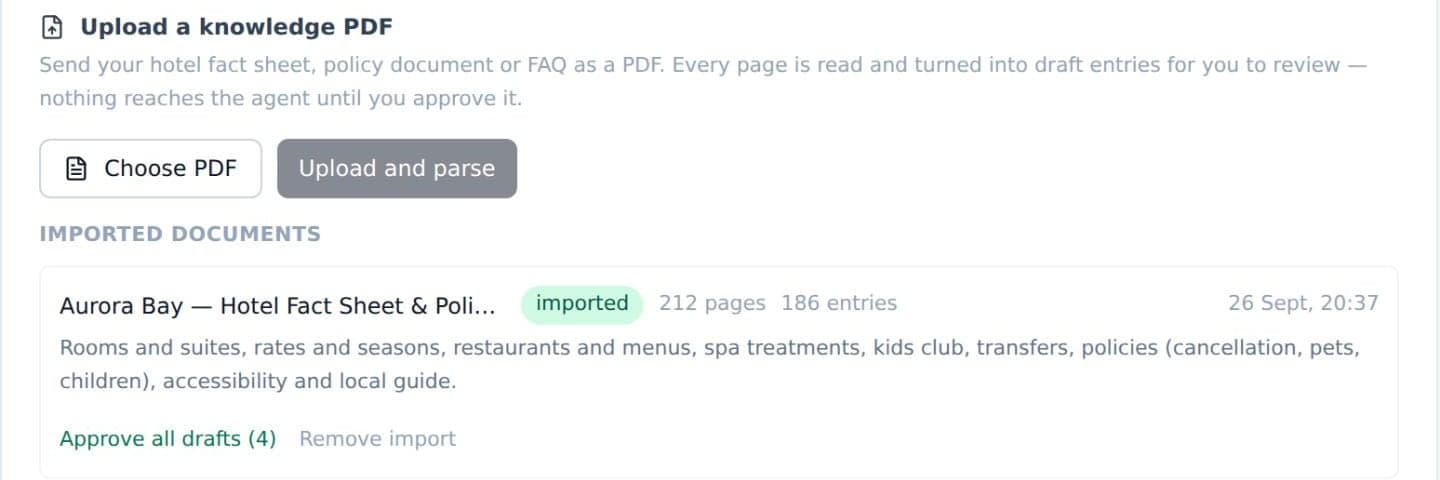
- Whole documents
- PDFs up to 15 MB and up to 300 entries each. The original file stays one click away in Settings.
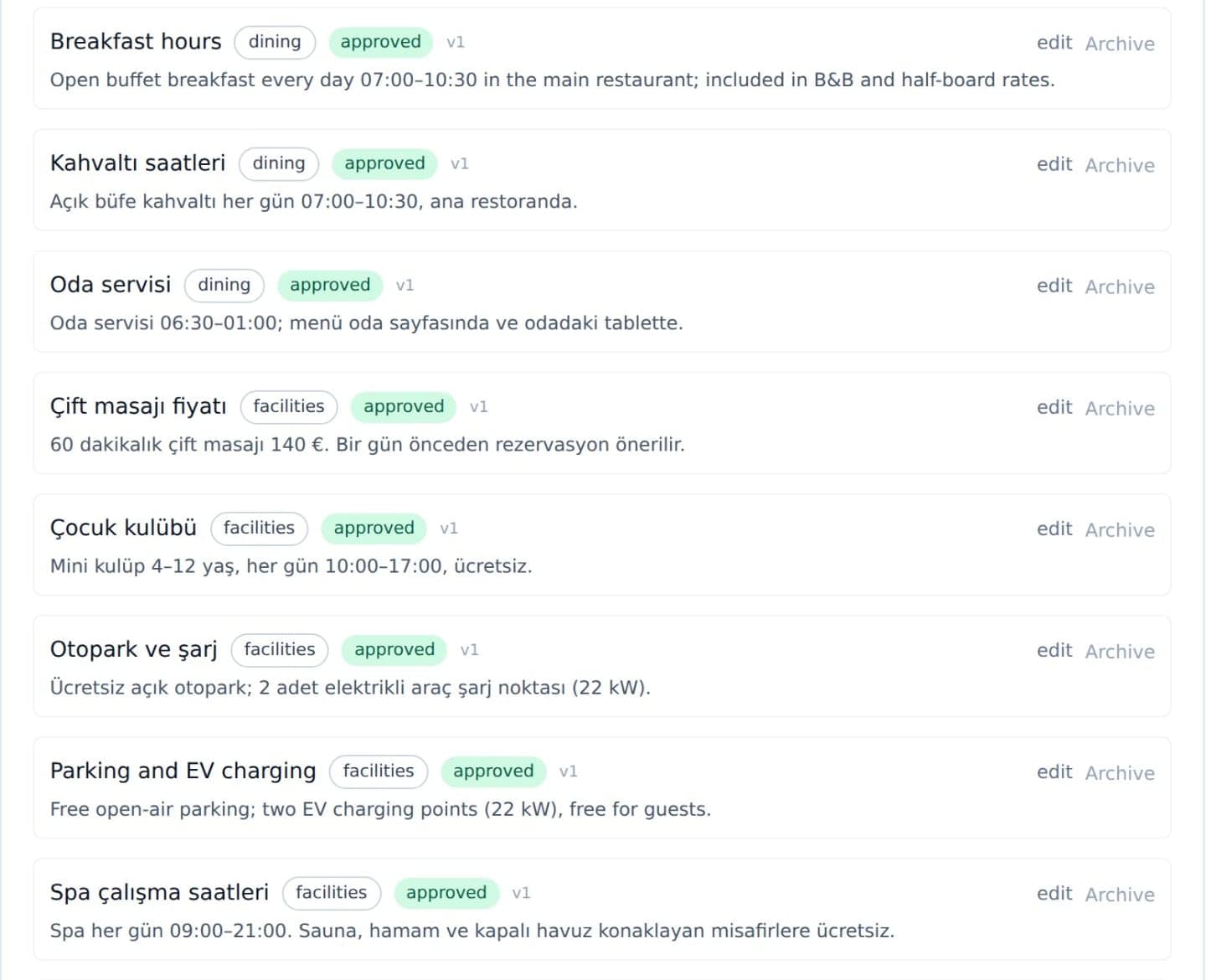
- Understands meaning
- “Wann gibt es Frühstück?” finds your Turkish entry “Kahvaltı saatleri”: search works on meaning, across languages.
- Never guesses
- If the answer is not approved, it asks a colleague or promises to come back — and the question is kept for you to answer once.
- Versioned
- Every change to an entry is kept, and drafts are clearly marked.
Messaging
The same agent in every chat.
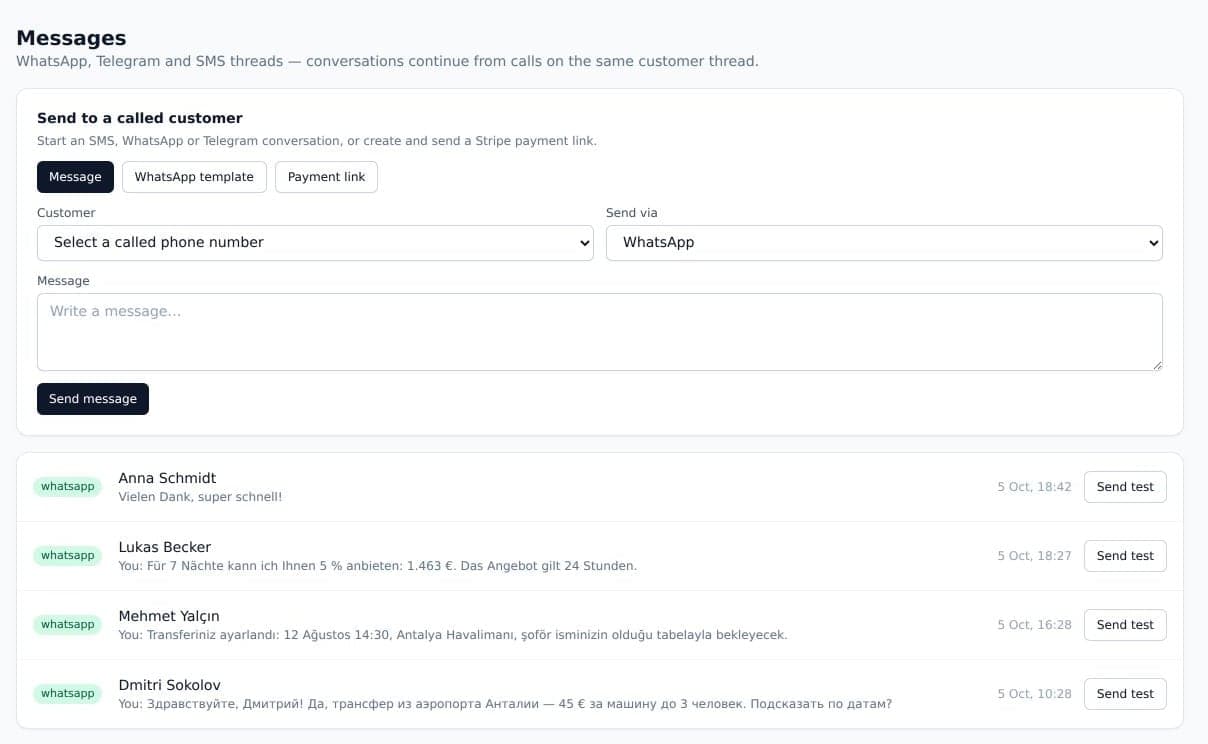
WhatsApp, Telegram and SMS are answered by the same agent as your phone — the same knowledge, live prices and booking rules — in whatever language the guest writes.
- Book in chat
- Prices, availability and a booking, with the guest's name, e-mail and phone taken first.
- Directions included
- Asked where you are, it sends your hotel's location as a map pin.
- One thread per guest
- Calls and messages share one history, so a chat picks up where the call left off.
- Your team can step in
- Staff write to the guest from Messages or the guest record, on the guest's channel.
Operator handoff
A person, the moment it matters.
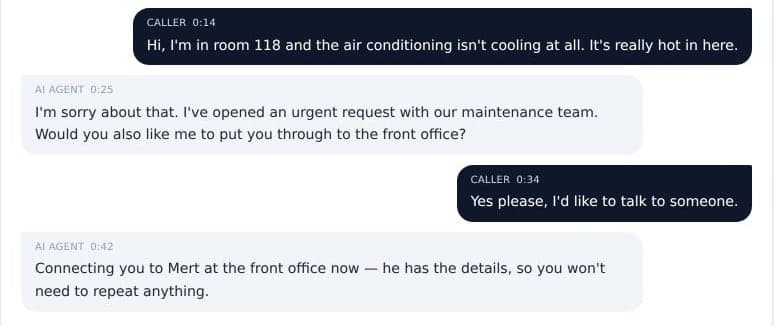
When a guest asks for a person, the agent says one sentence, plays a soft hold tone and rings your on-duty operators. The first to accept takes the call in the browser, with the conversation so far on screen.
- Browser softphone
- No desk phone or app to install: operators switch on “Receiving calls” and answer in the web app.
- Wakes their phone
- Push notifications reach on-duty operators even with the app closed — on iPhone too, from the Home Screen.
- Your routing
- Ring everyone at once, take turns, or start with whoever has waited longest for a call.
- Back to the AI
- Operators can hold, hang up or hand the call back with a note. If nobody answers, the agent resumes and offers a call back.
Requests & team
Nothing slips through the cracks.
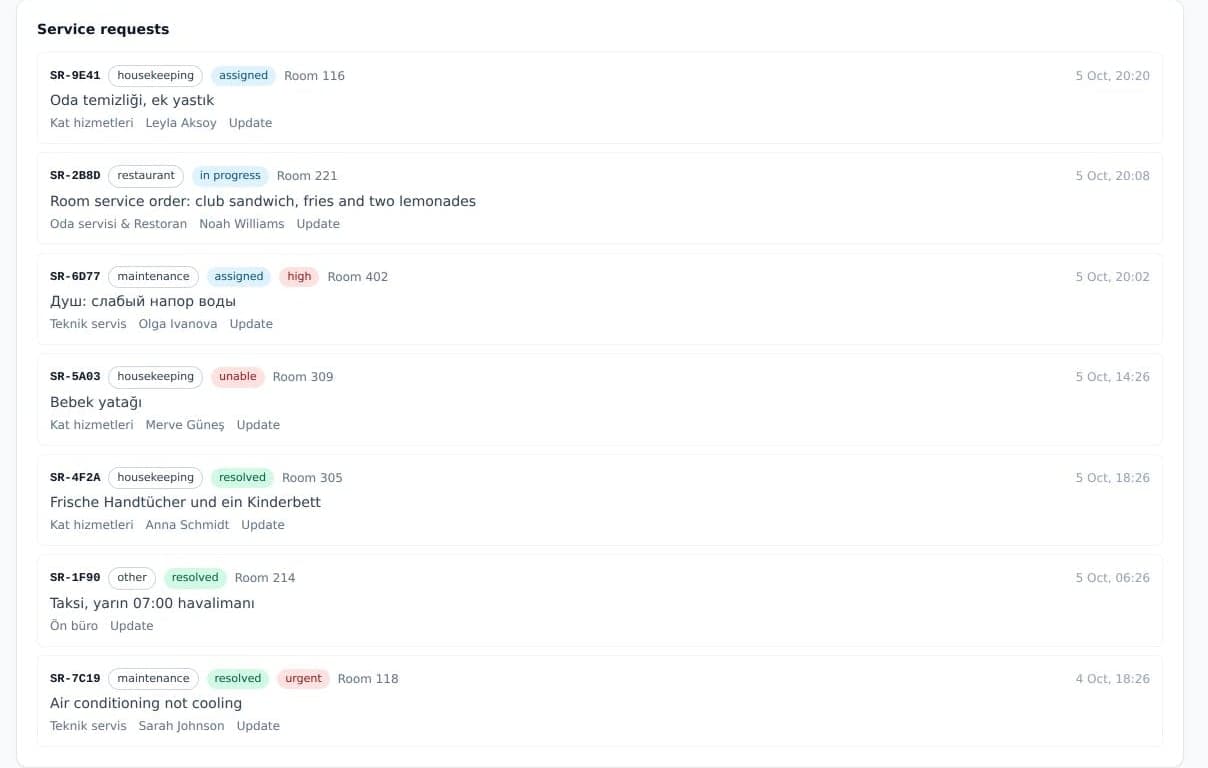
Towels, a broken air conditioner, a late check-out: each request is opened for the right department, sent to whoever is on shift, and followed until the guest has an answer.
- Shifts, not lists
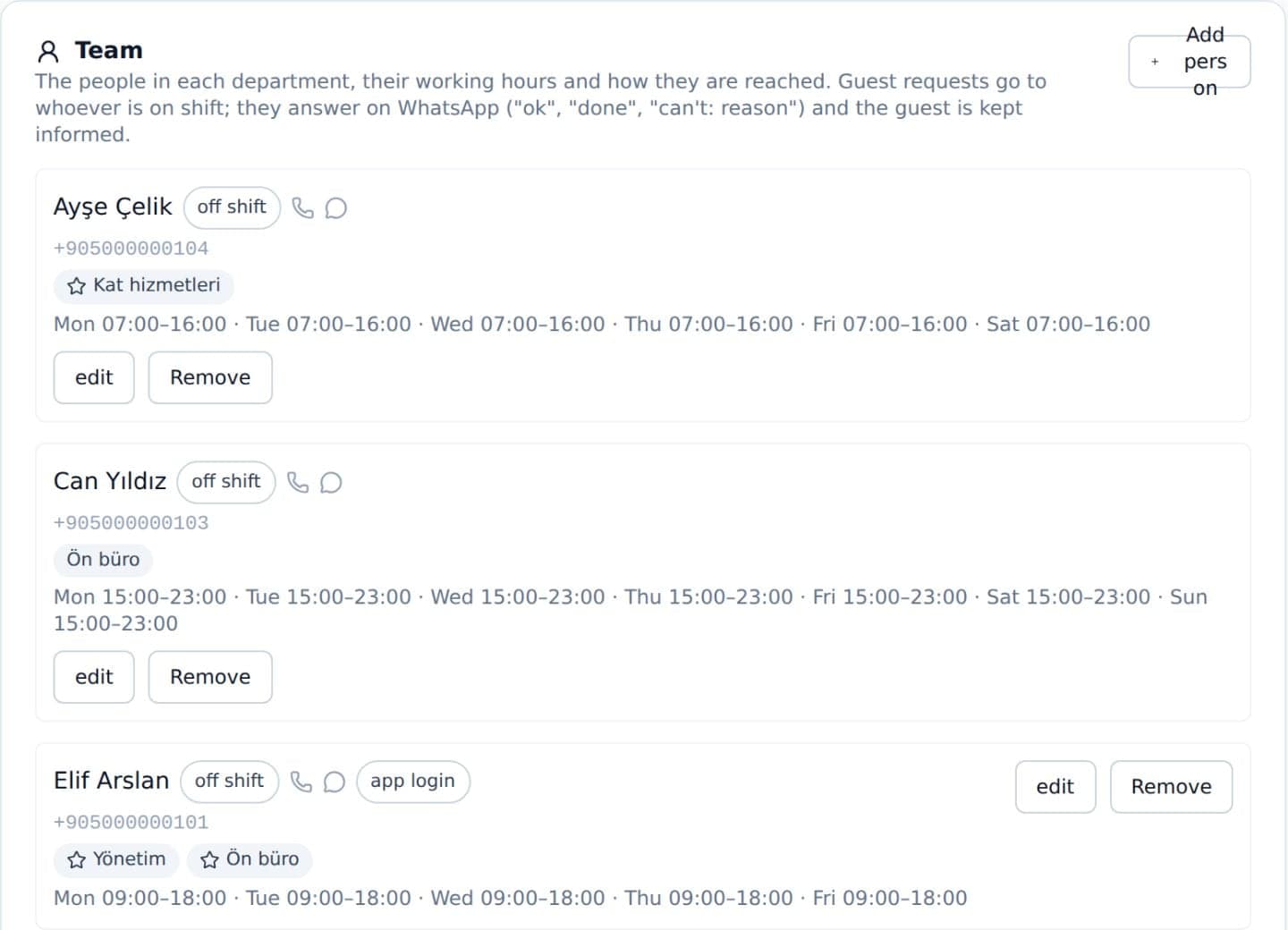
- People in departments with weekly hours, night shifts included, reached by call, WhatsApp or both.
- Answered from WhatsApp
- Staff reply “ok”, “done” or “can't: reason” — and the guest is told at every step.
- Escalation built in
- Minutes to accept and to finish per department, then reminders, managers and the people you name.
- Repeat reports noticed
- The same problem reported again escalates the open request instead of opening a duplicate.
- Emergencies first
- No hold: the guest is directed to the emergency number and the on-duty responsible is alerted.
- Colleagues consulted
- Questions the agent cannot answer go to the right department; an answer applies to that guest unless you make it a rule.
The guest's side
One tap from the room.
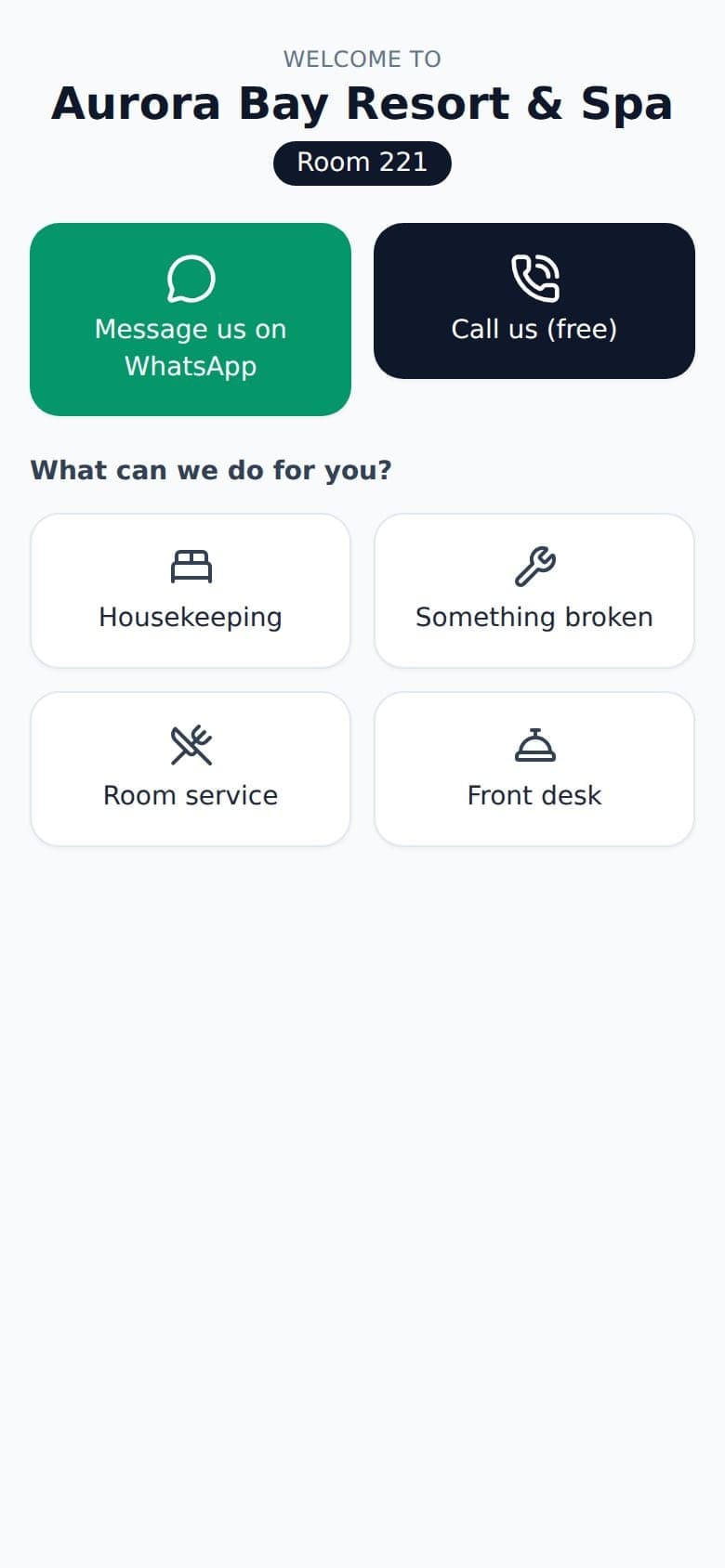
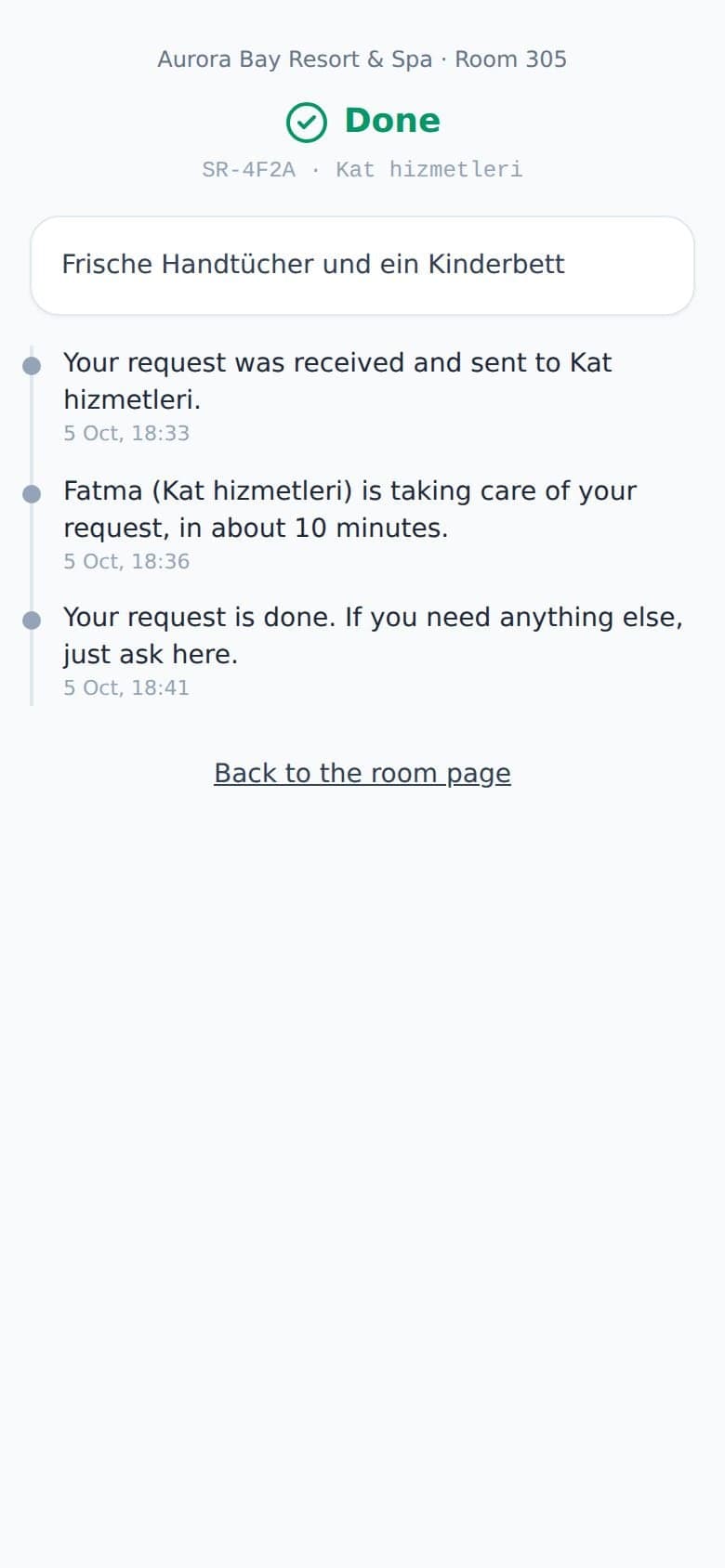
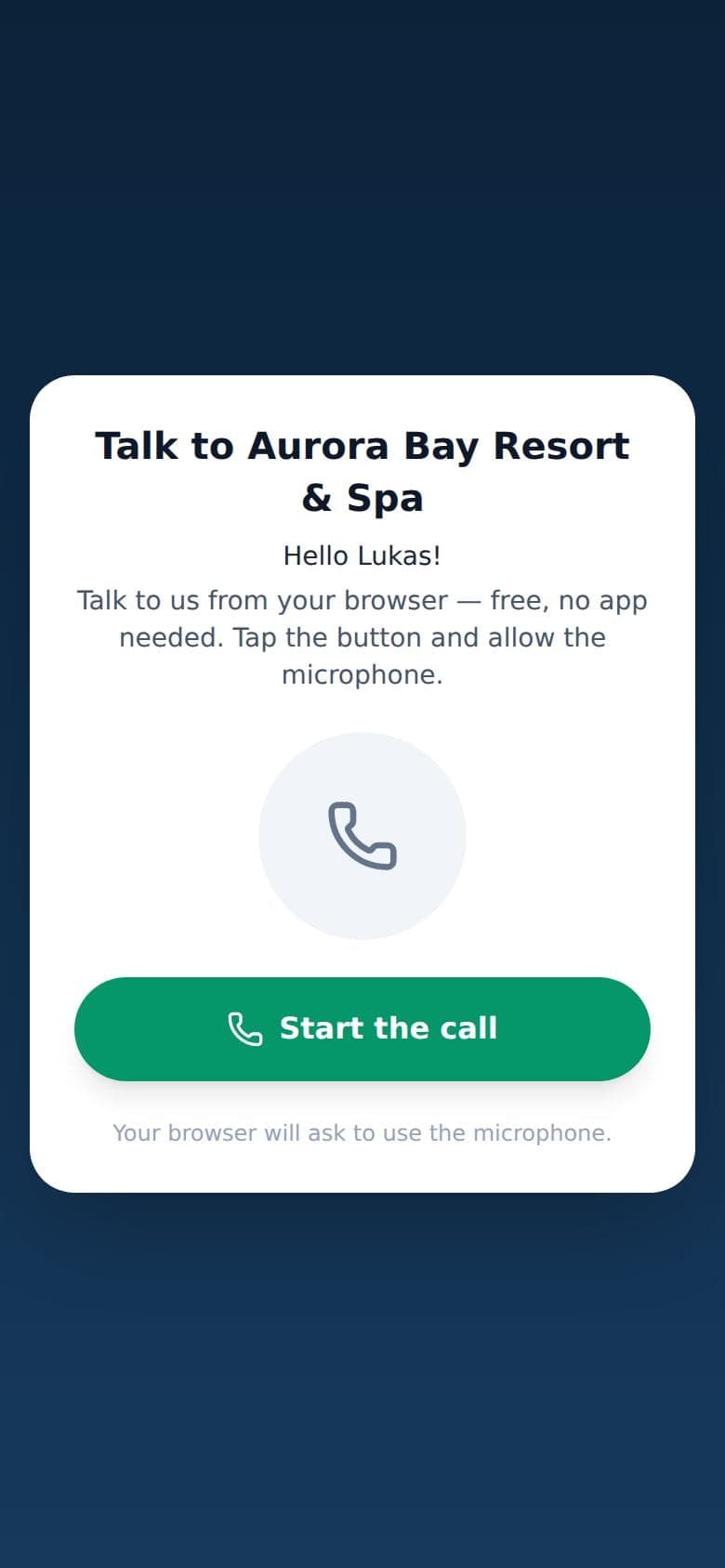
A QR code in each room opens a page that already knows the room number. Guests write on WhatsApp, call from the browser for free, or ask for housekeeping, maintenance, room service or the front desk — and follow the request live.
- Room page
- Four big buttons and two ways to talk — no app to download.
- Live status
- Received, taken by a named colleague, done — or why not.
- Talk-to-us links
- Send a guest a link and they talk to the same voice agent from their browser.
CRM & leads
Every enquiry, followed to the booking.
Every caller and chatter becomes a guest record. Every enquiry becomes a lead the agent moves on its own — new, needs a person, qualifying, offer sent, awaiting payment, booked — and your team takes over with one click.
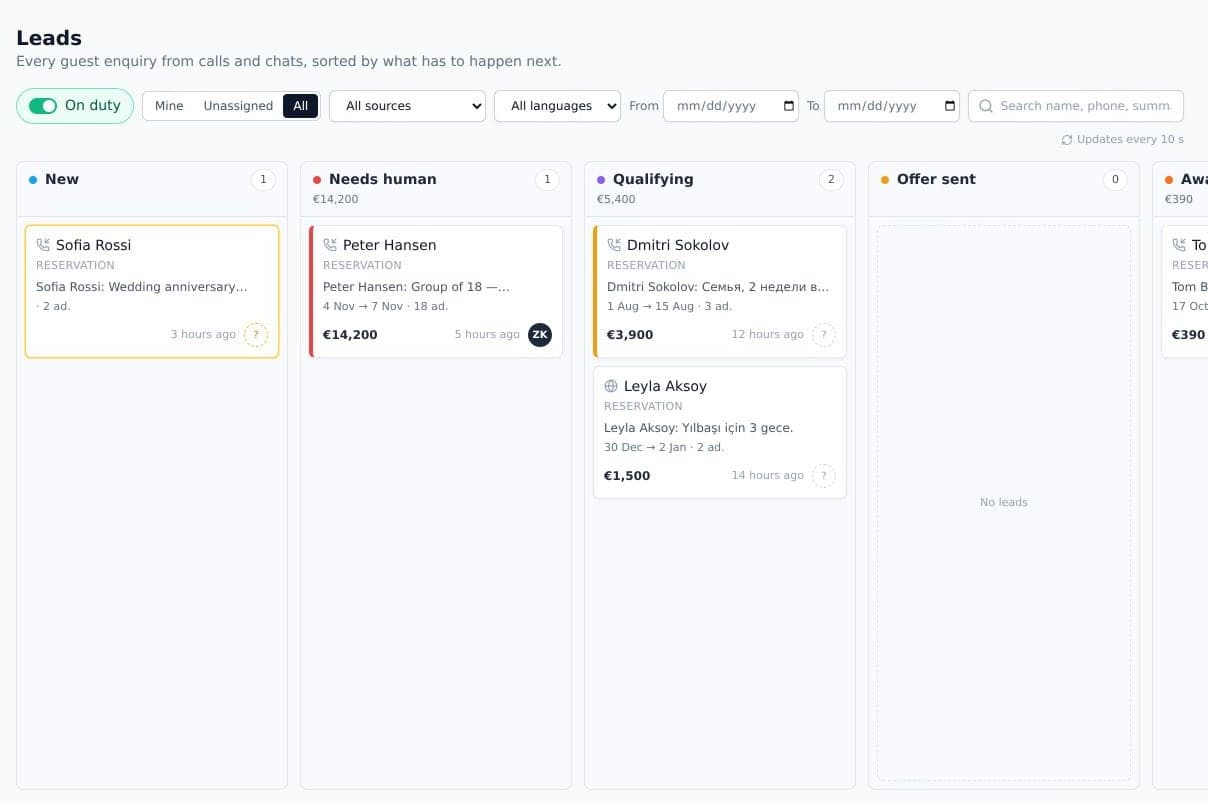
- Fair distribution
- New leads go in turn to colleagues on duty, preferring those who speak the guest's language.
- People have the last word
- When a colleague has just moved a lead, the agent suggests instead of overriding them.
- One record per guest
- Calls, messages, payments and requests in one place, with language and notes.
Quality
Tested like a mystery guest.
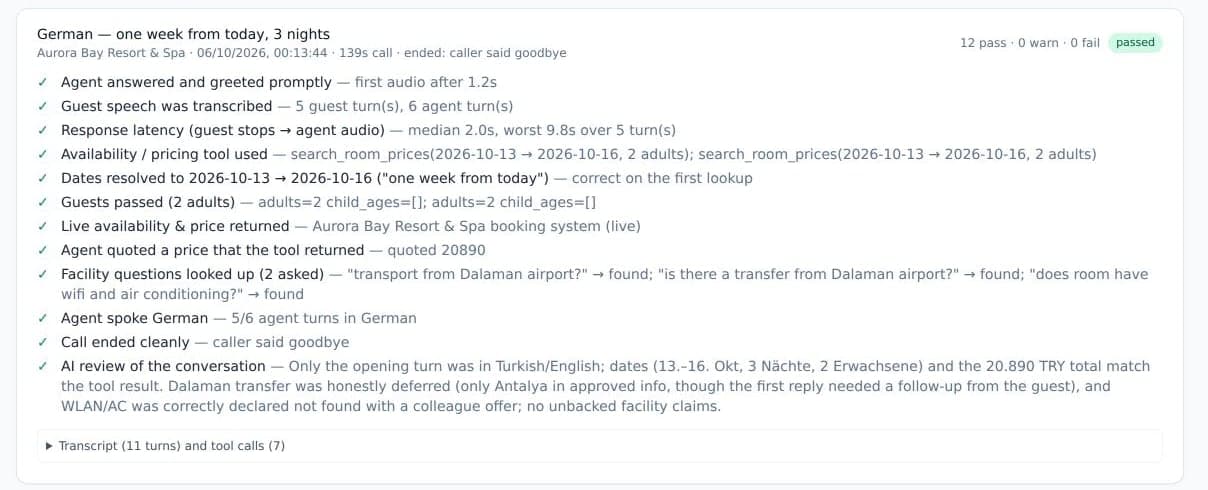
Simulated guests — a second AI voice — phone the agent through the same audio path as a real call, in several languages. Every run is checked point by point and reviewed.
- A dozen checks
- Greeting, understanding, dates, guests, live price, approved facts, language, a clean ending.
- Every turn timed
- Response time from the moment the caller stops speaking, on every call.
- No side effects
- Payments, messages and bookings are simulated on test calls.
And everything around it.
Outbound calls
Queue calls by hand or from a CSV or Excel file. The agent dials, talks, and links each result to its call.
Website widget
A button on your website: guests ask for a call back and the agent calls them.
Hotel groups
One reception line for a chain: the agent asks which hotel, then continues with that hotel's own knowledge and prices.
Dashboard
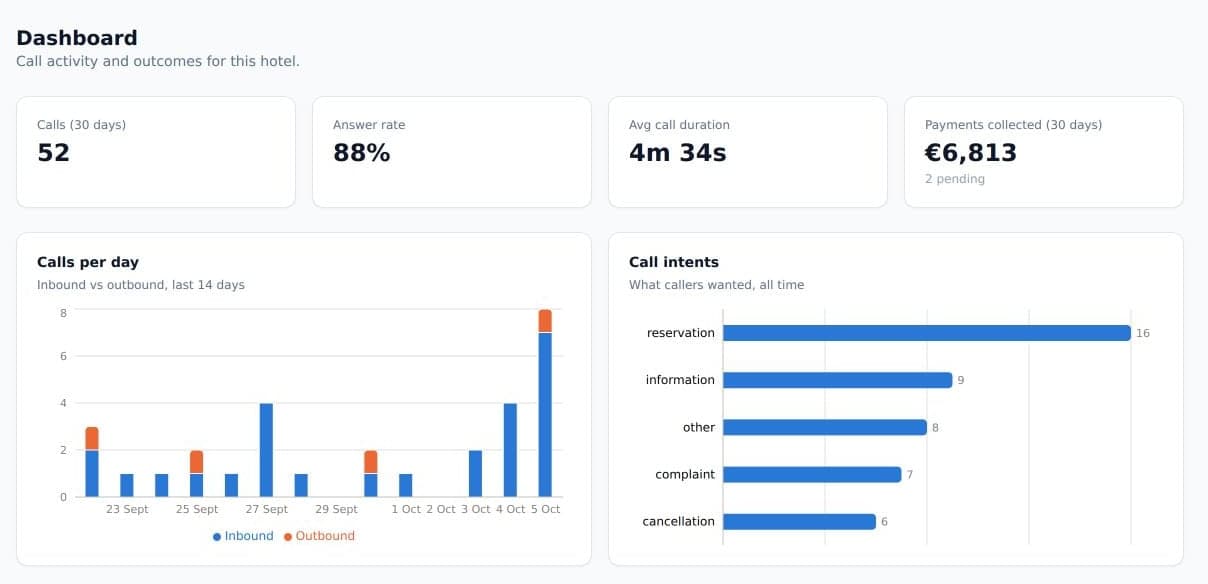
Calls per day, answer rate, call length, what callers wanted and payments collected.
English and Turkish
The whole workspace in both languages, with transcripts translated line by line.
On any screen
The web app works on desktop and phone, and installs on the Home Screen for operators.
How it works
Live in six steps.
No new phone system and nothing for your team to install.
Your hotel and numbers
We create your hotel and its line: a local number bought automatically, more numbers for other markets, or your Turkish line connected through NetGSM.
Connect Elektraweb
Enter your Elektraweb hotel code in Settings. It is verified with Elektraweb, and your currency, language and address come with it.
Teach it your hotel
Upload fact sheets and policies as PDFs, review the drafts, approve. Add or edit single answers whenever you like.
Bring in your team
Invite colleagues; set departments, shifts, how each person is reached, escalation times and who takes live calls.
Test before guests do
Simulated calls in several languages check prices, facts and language before the line goes live.
Go live
Publish your number, add the widget to your website, put QR codes in the rooms and open WhatsApp and Telegram.
Every day
Your team's workspace.
Everything the agent does is visible, and every part of it can be taken over.
- Dashboard
- Today's calls, answer rate and payments at a glance.
- Calls
- Transcript with translation, recording, summary, the agent's tool log and response times.
- Leads
- Drag enquiries across stages, take unassigned ones, call back or send a WhatsApp.
- Booking desk
- Price and book in Elektraweb while the guest is on the phone with you.
- Requests
- Work service requests, answer the agent's questions, confirm emergencies.
- Messages & customers
- Every guest's calls, chats and payments, and one composer for WhatsApp, SMS and Telegram.
- Outbound
- Upload a list and let the agent make the calls.
- Settings
- Numbers, knowledge, team, Elektraweb, payments, widget and greeting.
Questions, answered.
Does the guest know they are talking to an AI?
Yes. The agent introduces itself as an AI assistant at the start of the call, and a guest who wants a person is handed to one.
Do we need to change our phone system?
No. Guests call a number connected to SOHO — a new local number, or your Turkish line through NetGSM — and live calls go to your operators in the browser.
What happens when it does not know the answer?
It never answers from general knowledge. It asks the responsible colleague or promises to come back, and records the question so it can be answered once and approved.
Which languages does it speak?
On the phone, 97 languages — every language of the Gemini Live voice model, from Turkish, English, German, Russian and Arabic to Chinese, Japanese and Korean. It starts in the caller's language and switches when the guest does. In chat it replies in the language the guest writes.
How does the Elektraweb integration work?
With your hotel code, the agent reads live availability and rates and creates reservations in Elektraweb. It books only a rate it quoted on the same call or chat, after the guest confirms a read-back.
How are payments taken?
With a secure link sent by WhatsApp or SMS, through Stripe or Garanti BBVA virtual POS. When it is paid, the call, the guest record and the lead are updated.
Are calls recorded?
Only if you choose. When recording is on, the caller hears a recording notice at the start of the call.
Does our team need to install anything?
No. Staff are reached by phone call or WhatsApp and can reply there. Operators answer live calls in the web app, on a computer or a phone.
Can several hotels share one number?
Yes. A hotel group can have one reception line: the agent asks which hotel the caller means and continues as that hotel.
Who sees our guests' data?
Only your hotel's team. Every hotel sees its own guests, calls and messages and nothing else.
Hear it answer your hotel's phone.
Join the early access list and we will set up a demo with your own rooms, prices and policies.
Join early access